



When customers encounter problems with their solar systems, installers often need to arrange a site visit, commonly known as a truck roll. However, when the technician arrives, the issues may turn out to be nothing more than an incorrect setting, a temporary communication fault, or outdated firmware, which can often be diagnosed and resolved remotely. Instead, the installer incurs unnecessary costs for labor, travel, fuel, and service capacity.
What Does a Truck Roll Really Cost?
Labor represents a large share of the cost of a truck roll. The work begins before the technician leaves the service center. A coordinator must review the request, contact the customer, arrange site access, assign personnel, and prepare the required tools or spare parts. The installer must also cover the technician’s time for travel, on-site diagnosis, repair, documentation, and follow-up.
Vehicle expenses add another layer of cost. These include fuel, tolls, parking, maintenance, insurance, and depreciation. The expense can increase when a project is far from the service center or located in a remote area. Long travel times also reduce the number of customers a technician can support in one day.
As a result, a truck roll may consume several hours of staff time and create substantial direct expenses, even when the solution requires only a quick parameter adjustment or system reset. It also takes skilled technicians away from installations, preventive maintenance, and faults that truly require physical inspection. That’s why installers should assess whether they can resolve a problem remotely before they arrange a site visit.
What Installers Should Do When They Receive a Service Request
When installers receive a service request, they should assess the problem remotely before they dispatch a technician. A standard four-step workflow can help the service team identify the cause, determine whether an OTA update can resolve it, verify the result, and prevent similar issues in the future.
Step 1: Diagnose the Problem Remotely
Review real-time and historical system data before dispatch. Check power generation, device status, fault codes, communication records, battery conditions, and equipment parameters. Confirm whether the inverter is online, whether the fault has occurred repeatedly, and whether the inverter, battery, and MPPT device can communicate normally.
This review helps the team distinguish a configuration, communication, or software problem from a hardware or safety issue.
Step 2: Determine Whether an OTA Update Can Resolve the Problem
If the fault relates to software or device compatibility, check whether an approved over-the-air firmware update provides a suitable fix. Confirm that the firmware supports the exact device model and hardware revision. The fault should also match a known technical case or an issue addressed by the firmware version.
Before the update, verify that the device has a stable power supply and network connection. If these conditions are not met, the update may fail and create another service problem.
Step 3: Push the Firmware and Verify the Result
Send the approved firmware to the device through the cloud platform and monitor the update status. After the device restarts, confirm the new firmware version, communication status, alarms, equipment parameters, and power flow.
Do not close the service case as soon as the update finishes. Check that the original fault has disappeared and that the system remains stable. If the update fails, follow the established recovery procedure before another attempt.
Step 4: Set Alerts for Future Problems
Set alerts for device disconnection, repeated fault codes, abnormal power output, battery exceptions, and relevant parameter changes. Assign each alert a priority and a clear response procedure.
Early alerts allow the service team to investigate a problem before the customer reports it. Historical fault records can also reveal repeated issues across multiple systems. This proactive approach helps installers resolve certain problems remotely and reduce unnecessary truck rolls over the system lifecycle.
How the Ktech WiseHome Cloud Platform Supports Installers
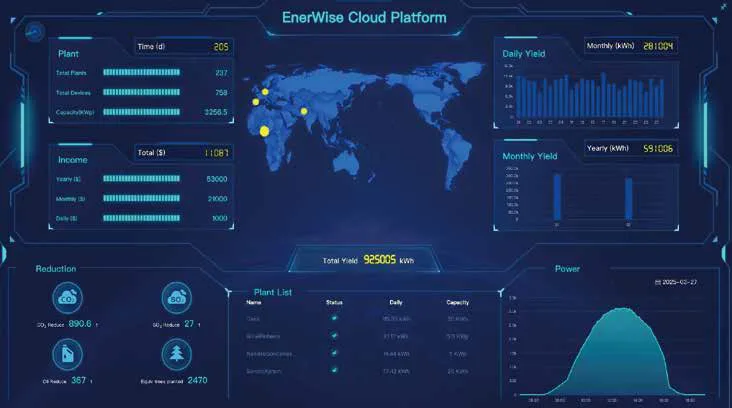
The four-step workflow requires access to accurate system data, remote device controls, firmware management, and automatic alerts. The Ktech WiseHome Cloud Platform brings these capabilities together in one system, helping installers assess and resolve eligible service cases without an immediate site visit.
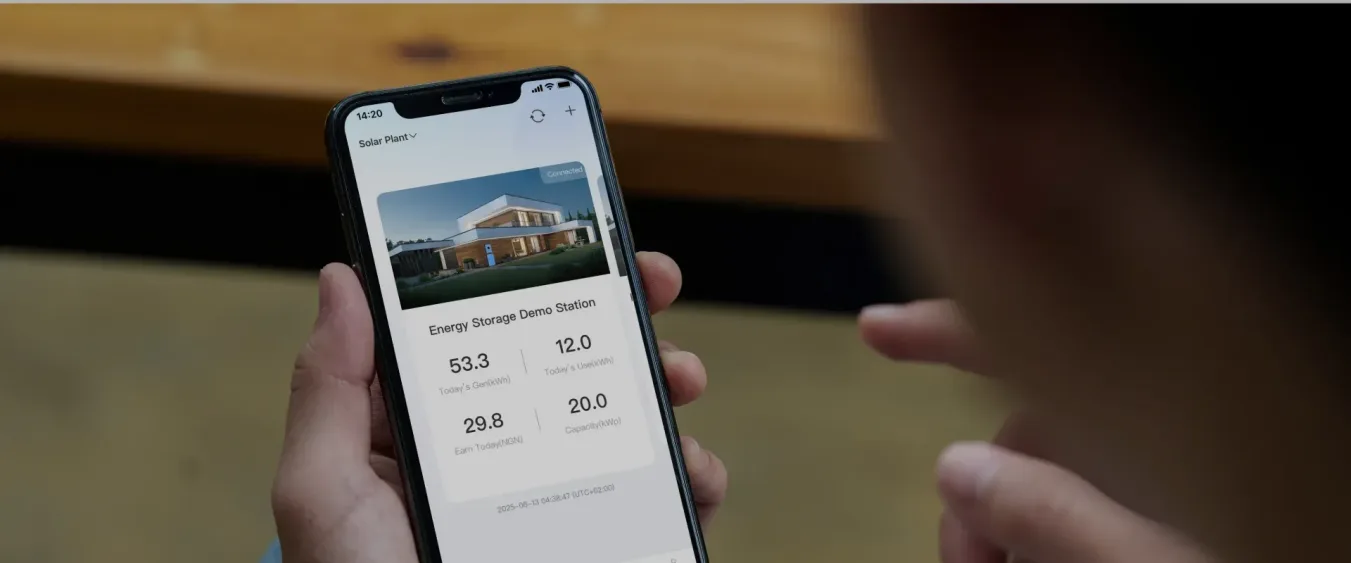
WiseHome provides real-time visibility across the complete energy process, from photovoltaic power generation and energy storage to household or commercial consumption. With the user’s authorization, installers can remotely review power generation, load consumption, equipment status, operating parameters, and fault information for inverters, batteries, MPPT devices, and connected appliances. This access allows the service team to assess the problem before deciding whether an on-site visit is necessary.
If the diagnosis points to a configuration or software issue, WiseHome’s cloud-based service functions allow authorized technicians to control supported devices remotely and adjust relevant parameters. When an approved firmware update can resolve the problem, the platform supports remote deployment so the installer can address the fault without physical access to the equipment. After the update, the technician can review device status, alarms, parameters, and system performance to verify the result.
WiseHome supports automated scenarios and monitors equipment for abnormal conditions. System users can configure these scenarios based on their energy management needs. If the user grants the appropriate access, the service team can review device alerts and fault information when equipment goes offline or operates abnormally. This helps technicians respond before the issue causes a longer service interruption.
Support Beyond the Platform
In addition to products and the WiseHome Cloud Platform, Ktech provides service support for partners and end users.
Before the sale, Ktech provides partners with detailed product materials in both electronic and printed formats. Sales representatives, technicians, and product specialists explain product features, functions, specifications, and advantages. They also offer product selection advice and system design recommendations based on the customer’s requirements and application scenario.
Ktech also provides technical training through scheduled online sessions, scheduled in-person courses, and recorded courses. These resources help partners develop the product knowledge required for system design, installation, and service.
During the sales and installation process, partners can receive one-to-one technical guidance for specific products. Ktech also provides product-use guidance and installation support. This assistance can help installers avoid configuration errors and installation issues that may lead to future service requests.
After installation, Ktech provides partners and end users with free, multichannel remote technical consultation throughout the product lifecycle. Customers who encounter technical problems can contact the support team for professional guidance and recommended next steps.
Conclusion
Unnecessary truck rolls consume labor, vehicle resources, and valuable service capacity. Before technicians travel to a site, installers should diagnose the problem remotely, determine whether an OTA update can resolve it, verify the result, and set appropriate alerts.
The Ktech WiseHome Cloud Platform supports this workflow through real-time system data, remote service capabilities, firmware updates, and fault information available with the user’s authorization.
Together with Ktech’s technical training, installation guidance, remote consultation, and warranty support, these capabilities help installers reduce unnecessary truck rolls while providing timely and reliable service.



